Animated Infographic Video Production
Make complex products, data and ideas impossible to ignore.
Amaa Media creates animated infographic videos, motion graphics, explainer films and AI-assisted visual content that help business audiences understand faster, remember longer and take action with more confidence.







Explainer
make services, workflows and products easier to understand.
Data
turn numbers, reports and KPIs into clear visual stories.
AI assist
accelerate concept boards, visuals, subtitles and variants.
Versions
master film, vertical cutdowns, sales loops and training clips.

Motion Clarifies
When the idea is abstract, animation makes it visible.
People do not buy a complicated feature, process or service until they understand it. Animated infographic video turns information into a sequence: problem, insight, mechanism, benefit and action.
- Reduce cognitive load for technical, financial or operational topics.
- Use design systems so the film feels like your brand, not a template.
- Create one master story and adapt it into social, sales and training formats.
What We Produce
Animated assets for brand, sales, product and internal communication.
We start with what the audience must understand, then choose the right motion language for the business result.
Explainer videos
Clarify products, platforms, services, policies and processes through script, storyboard, voice and motion.
Data visualization
Turn reports, market size, operational metrics and survey data into motion graphics people can follow.
2D and isometric motion
Flat 2D, icon systems, isometric scenes and character motion for business, finance, medical, IT and education topics.
Sales and product explainers
Show how a product works, why it matters and what makes it different for sales decks, websites and digital ads.
Training and internal content
Make compliance, onboarding, SOPs and technical procedures easier to learn and reuse.
AI-assisted content
Use AI to speed up concept frames, reference styles, voice drafts, subtitles and content variations while keeping human creative control.
Motion Language
Choose the visual system that matches the message.
Some stories need simple icons and clean data. Others need characters, isometric worlds, product diagrams or AI-assisted visuals. The design system should serve comprehension first.
2D infographic
Clean icons, charts, typography and transitions for clear business explanation.
Isometric scenes
A 3D-like sense of space without full 3D production cost or complexity.
Character motion
Useful when empathy, role play, customer journey or staff behavior matters.
Hybrid video
Combine live footage, UI capture, product shots, motion graphics and AI assets.

AI-Assisted, Producer-Led
AI can create faster drafts. It cannot replace message discipline.
We use AI where it is useful: exploring visual directions, generating concept frames, supporting image extension, drafting voice options, creating subtitle drafts and producing version ideas. The final film still needs a human story structure, brand judgment, legal awareness and production finishing.
Faster ideation
Reference boards, style tests and scene concepts before full production.
More versions
Adapt copy, formats, subtitles and visual emphasis for more channels.
Human review
Check facts, compliance, visual consistency and brand voice.
Production finish
Motion, sound, pacing and export are finished for commercial use.
Production Workflow
A clear workflow keeps animation creative, fast and controllable.
Animation quality depends on decisions made before animation begins: message, script, storyboard, style frames and review rules.
01
Brief and audience
Define the business goal, viewer profile, channel, duration and call to action.
02
Message architecture
Organize the story so viewers understand the problem, mechanism and value.
03
Script and storyboard
Write voiceover, screen text and visual frames before motion production.
04
Style frames
Set the visual design, color, icon style, character approach and AI references.
05
Motion production
Animate scenes, transitions, charts, characters, product flows and UI elements.
06
Voice and sound
Add voiceover, music, sound effects and pacing so the video feels finished.
07
Review and refine
Review content accuracy, design consistency, timing and viewer comprehension.
08
Version and deliver
Export master, vertical, square, subtitle, silent loop and presentation versions.
Selected Motion Work
Proof is in the clarity.
Representative motion graphics, explainer, infographic and campaign assets. Click a cover to play the video in place.

Animated explainer
Simple motion that turns abstract ideas into a logical story.

Infographic video
Numbers, process and benefits structured for quick understanding.
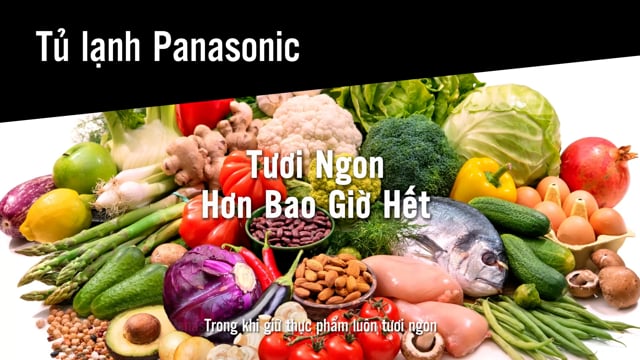
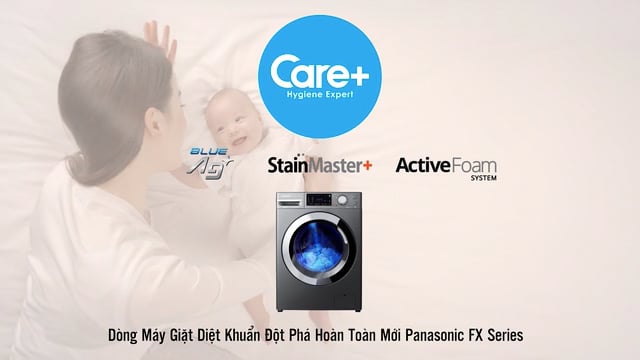
Product motion
Feature explanation, usage flow and product value in motion.
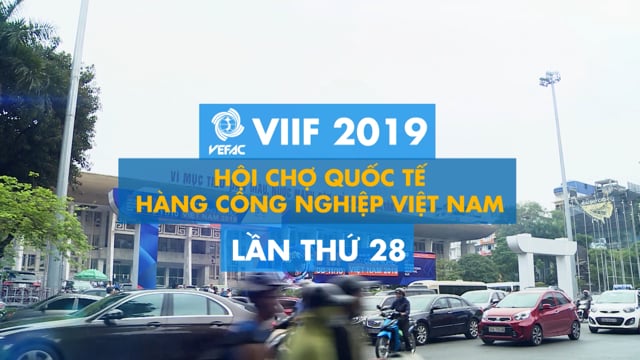
Corporate motion
Brand, capability and business explanation with visual consistency.
Social motion cutdown
Short animated versions for campaign hooks and paid media.
Training animation
Structured visual instruction for teams, customers and partners.
Engagement Models
Choose the animation scope around the message complexity.
Final scope depends on duration, number of scenes, illustration complexity, character design, voiceover, AI asset use, revision rounds and delivery formats.
Explainer Sprint
For one focused topic that needs a clear short video.
- Script, storyboard and 2D motion
- Voice, music and sound effects
- Master export and subtitle file
Campaign Motion Package
For launch campaigns, product education and multi-channel communication.
- Master film and social cutdowns
- 2D, isometric or hybrid motion system
- Multiple aspect ratios and versions
AI-Assisted Content System
For brands that need faster ideation and more content variations.
- AI-assisted concept and reference frames
- Human-led script, design and motion
- Reusable templates and version workflow
Send us the idea, the data or the business problem. We will shape the motion story.
Tell us what the audience needs to understand, where the video will be used, whether you already have a script or data, and whether AI-assisted visuals should be part of the workflow.